iPhone WiFi Not Working: Repair vs Sell
Written by: Sam Wilson
Jump To What Most Interests You
An iPhone WiFi not working issue can happen for several reasons. In some cases, it is caused by a simple software problem that you can fix at home in a few minutes. In other cases, it may point to hardware damage, water exposure, a failing WiFi component, or an older iPhone that is no longer worth repairing.
This is where the decision becomes important. Repairing your iPhone may be the right move if the issue is minor and the device still has plenty of life left. Selling your iPhone may make more sense if the repair cost is high, the phone is older, or you are already thinking about upgrading.
At Gadget GoGo, we know that faulty tech can still hold value. Your iPhone does not need to be perfect to be worth something. This guide will help you understand the issue, try practical fixes, compare repair costs, and decide whether selling your device is the smarter option.
What to Do When Your iPhone Won’t Connect to WiFi
Start by narrowing down the cause. A WiFi problem can come from the phone itself, the router, the internet provider, the network settings, or a temporary iOS issue. Checking each possibility in the right order helps you avoid wasting money on a repair you may not need.
Begin with your WiFi network. Test another device on the same network, such as a laptop, tablet, or another phone. If other devices are also struggling, the issue is likely linked to your router or internet connection. Restart the router, move closer to it, and check whether your provider has reported any service issues.
Next, test your iPhone on another trusted WiFi network. If it connects elsewhere without any trouble, your phone may be fine. If it fails on every network, the issue is more likely with your iPhone.
You should also check whether mobile data still works. If mobile data works but WiFi does not, the issue is probably isolated to WiFi settings, software, or WiFi hardware.
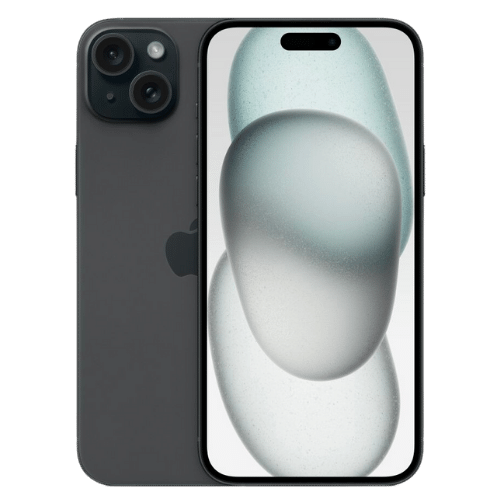


Common signs your WiFi is failing on your iPhone
WiFi problems can appear in different ways. Some signs point to a minor settings issue, while others suggest a deeper fault.
Common signs include:
- Your iPhone cannot find any WiFi networks.
- The WiFi toggle is greyed out.
- Your iPhone connects, then disconnects again.
- The phone shows “No Internet Connection.”
- Apps load slowly on WiFi but work on mobile data.
- WiFi only works when you are close to the router.
- The issue started after a drop, water exposure, or repair.
- Bluetooth also behaves strangely.
A greyed-out WiFi setting is one of the more serious signs. It may still be caused by software, but it can also point to hardware trouble. If the WiFi toggle stays greyed out after restarting and updating the phone, repair or selling becomes a more realistic consideration.
Quick checks you can try first
Before you book a repair, work through a few simple checks. These steps are quick, safe, and useful.
Try the following:
- Turn WiFi off and on again.
- Restart your iPhone.
- Restart your router.
- Forget the WiFi network, then reconnect.
- Check that Airplane Mode is turned off.
- Move closer to the router.
- Test your iPhone on another WiFi network.
- Turn off VPN apps temporarily.
- Check for iOS updates.
- Reset network settings if the problem continues.
These checks help separate a simple connection issue from a genuine device fault. If your iPhone starts working after one of these steps, you may avoid repair costs completely.


Did you know you can also sell broken iPhones?
Why Is Your iPhone WiFi Not Working?
Software glitches
Software issues are common and often fixable. Your iPhone stores WiFi passwords, network preferences, VPN settings, and connection data. Over time, these settings can become unreliable, especially after updates, failed connections, or repeated changes between different networks.
Software-related WiFi problems may cause your iPhone to connect slowly, forget networks, show error messages, or drop the connection without warning. These problems are frustrating, but they usually do not mean the phone is badly damaged.
Software issues are more likely when:
- The problem started after an iOS update.
- Your iPhone connects to some networks but not others.
- WiFi works briefly, then stops again.
- Restarting the phone helps for a short time.
- Mobile data still works normally.
- There are no signs of physical or water damage.
In this situation, it is worth trying home fixes before thinking about repair or selling. A reset or update may solve the problem without costing you anything.
Hardware damage
Hardware issues are more serious because they involve the physical parts inside your iPhone. WiFi relies on internal components that can be affected by drops, pressure, water damage, poor repairs, or general wear.
Hardware damage is more likely if the WiFi problem started after the phone was dropped, bent, exposed to liquid, or repaired. It may also be linked to other symptoms, such as Bluetooth issues, overheating, random restarts, or a greyed-out WiFi setting.
Signs of possible hardware damage include:
- WiFi networks never appear.
- The WiFi button is greyed out.
- Bluetooth also fails.
- The phone has visible impact damage.
- The issue started after water exposure.
- The device has had previous repair work.
- The phone gets unusually hot.
- The problem remains after updates and resets.
Hardware repairs can vary widely in cost. A simple internal connection issue may be affordable, while board-level repairs can be expensive. This is where the repair vs sell decision becomes important. If the repair quote is high and the device is older, selling your iPhone may be the better value move.
Network-related issues
The phone is not always the cause. Your router, broadband connection, WiFi range, or network settings may be responsible.
Network-related issues are likely when multiple devices have trouble connecting, the problem only happens in one location, or the connection improves when you move closer to the router. Older routers can also struggle with busy households where several phones, laptops, smart TVs, gaming consoles, and tablets are connected at once.
Common network-related causes include:
- Router faults.
- Weak or no signal strength.
- Too many connected devices.
- Broadband provider issues.
- Outdated router firmware.
- Incorrect WiFi password.
- Poor router placement.
- Interference from walls or other electronics.
If your iPhone works on other WiFi networks, focus on your router before considering a phone repair. Moving the router, restarting it, updating it, or contacting your provider may solve the issue.
Quick Fixes You Can Try at Home
Reset network settings
Resetting network settings is one of the most useful fixes for stubborn WiFi problems. It clears saved WiFi networks, passwords, VPN settings, and related network preferences. Your photos, apps, messages, and files stay on the phone, but you will need to reconnect to WiFi afterwards.
To reset network settings:
- Open Settings.
- Tap General.
- Tap Transfer or Reset iPhone.
- Tap Reset.
- Select Reset Network Settings.
- Enter your passcode if asked.
- Reconnect to your WiFi network.
This fix is especially useful when your iPhone keeps disconnecting, fails to remember networks, or shows connection errors. Before you do it, make sure you know your WiFi password.
Restart your iPhone
Restarting your iPhone clears temporary faults that may be affecting WiFi. It can help when your settings freeze, apps struggle to load, or the WiFi symbol appears but nothing works properly.
After restarting, give your iPhone a minute to reconnect. Open Safari or another app and test the connection. Avoid changing several settings at once. A slower, step-by-step approach gives you a clearer result.
Restarting is simple, but it is still worth doing. Many connection problems come from temporary software behaviour rather than permanent faults.
Update iOS
Keeping iOS up to date is important for performance, security, and bug fixes. If your iPhone WiFi is not working because of a software issue, an update may help.
To check for updates:
- Open Settings.
- Tap General.
- Tap Software Update.
- Install any available update.
If WiFi does not work at all, you may need to update using a computer. This can be helpful when your iPhone cannot download the update directly.
Before updating, back up your device if possible and make sure the battery has enough charge. A stable update process reduces the risk of extra problems.
When Is It Worth Repairing Your iPhone?
Repairing your iPhone makes sense when the cost is reasonable and the device is still worth keeping. A good repair should give you more useful life from the phone without creating a poor value decision.
Think about the full condition of the device. WiFi may be the main issue today, but battery health, screen condition, storage, performance, and repair history all matter. A newer iPhone with one fault is often worth repairing. An older iPhone with several issues may be better sold.
Cost of common WiFi repairs
WiFi repair costs vary because the cause can be simple or complex. A software fix may cost nothing. A professional diagnosis may cost a small fee. A hardware repair can cost more, especially if internal parts or board-level work are needed.
Repair pricing can depend on:
- iPhone model.
- Warranty or cover.
- Type of fault.
- Repair provider.
- Previous repair history.
- Water damage.
- Screen or frame condition.
- Whether other parts are also faulty.
Always get a quote before deciding. Then compare the repair price with the value of your phone as it stands.
A useful guide is this:
- Low repair cost and newer phone: repair may make sense.
- High repair cost and older phone: selling may make sense.
- Repair cost close to resale value: selling is usually more practical.
- Multiple faults: selling often gives better overall value.
The numbers matter. A repair that looks affordable at first may not be worth it if the device is already losing value quickly.
When a repair makes sense
Repair is usually worth considering when your iPhone is still reliable in every other way. If the screen is clean, the battery is healthy, the phone runs smoothly, and you are happy using it, fixing the WiFi could be a sensible choice.
Repair may make sense when:
- The iPhone is a recent model.
- The WiFi fault is the only issue.
- The repair quote is low.
- Battery health is still strong.
- The phone has enough storage.
- You are not planning to upgrade soon.
- There is no water damage.
- The device has strong resale value after repair.
A repair can extend the life of your phone and delay the need for an upgrade. It can also be better for your budget if the fault is small and the device still suits your needs.
Risks of fixing older devices
Older iPhones need a more careful decision. A WiFi repair may solve the current issue, but it may not improve battery life, storage limits, camera quality, or general speed.
Repairing an older device can become poor value when one fix leads to another. You may pay to fix WiFi, then soon need a battery replacement, screen repair, or charging port fix. At that point, the total cost may be better used towards a newer refurbished device.
Before repairing an older iPhone, consider:
- Battery health.
- Storage space.
- App performance.
- Camera quality.
- Screen condition.
- Charging reliability.
- Repair history.
- How long you plan to keep it.
If the phone already feels slow, unreliable, or limited, selling may be the cleaner choice. You can recover some value and move towards a device that suits your day-to-day use better.
When Selling Your iPhone Makes More Sense
With Gadget GoGo, the process is built to remove friction. You can get an instant quote in seconds, send your device with free postage, and receive payment within 48 hours once your device has been received and checked.
Every gadget you sell with Gadget GoGo helps reduce electronic waste, and a tree is planted for every device sold. It is a simple way to make a better choice for both your wallet and the environment.
If repair costs are too high
High repair costs are one of the clearest signals that selling is the better route.
When a repair starts to approach the current value of your iPhone, it becomes harder to justify. You may fix the WiFi issue, but you are still left with the same ageing battery, limited storage, and an overall device that is continuing to lose value over time.
Selling gives you a cleaner outcome. Instead of putting money into a device that may need further repairs, you turn it into cash that can go towards something more reliable.
A practical way to look at it:
- If the repair is low cost and your phone is in strong condition, repairing can still make sense
- If the repair is expensive and the phone has other signs of wear, selling becomes the more practical option
- If the repair cost is close to what the phone is worth, selling is usually the better move
With Gadget GoGo, you can check your phone’s value instantly, so you are not making that decision blindly.
If your phone is older
Older iPhones tend to show their limits more clearly once something goes wrong.
A WiFi issue on an older device can quickly affect how usable it feels day to day. You may end up relying on mobile data more often, skipping updates, avoiding downloads, or dealing with slower performance across apps. Over time, that becomes frustrating.
There is also the value side to consider. As new models are released, older iPhones continue to drop in value. If your device already has a WiFi fault, waiting too long can mean getting less for it later.
Selling sooner allows you to lock in more of its remaining value while it still has demand. That gives you a stronger starting point if you are planning your next device.
If you’re ready for an upgrade
Sometimes the decision is less about the fault and more about what you need next.
A WiFi problem can be the push that highlights other limitations. You may want longer battery life, more storage, a better camera, or smoother performance. If your current iPhone no longer fits how you use your device, holding onto it and repairing it may not feel worthwhile.
Selling your iPhone gives you a practical way to move forward. Even with WiFi issues, it can still be refurbished, repaired, or used for parts, which means it retains value.
If you decide to upgrade through Gadget GoGo, you also get added reassurance:
- 12-month warranty with every product
- Free delivery with every order
- Certified refurbished and thoroughly tested devices
- Money-back guarantee
- Free 14-day returns
This gives you a clear path from a faulty device to a reliable upgrade, without paying full price for brand new tech.
With Gadget GoGo, you get a fast, simple process, a fair quote, and the added benefit of contributing to a more sustainable approach to tech.
How Much Is an iPhone with WiFi Issues Worth?
The value of an iPhone with WiFi issues depends on the model, storage, condition, and severity of the fault. A newer device with one WiFi problem can still be worth a good amount. An older device with several faults will usually be worth less.
The key point is that a faulty iPhone can still be sold. It does not need to be perfect.
What affects your device value
Your device value is based on more than one fault. Buyers look at the full condition of the iPhone.
Important value factors include:
- Model and generation.
- Storage capacity.
- Screen condition.
- Back glass condition.
- Battery health.
- Camera function.
- Face ID function.
- Charging port condition.
- Water damage.
- Network lock status.
- Previous repairs.
- Whether the phone powers on.
- Severity of the WiFi fault.
A phone with a minor WiFi issue may be worth more than one with a greyed-out WiFi setting, cracked screen, weak battery, and water damage. Accurate details help create a smoother selling process and reduce delays after inspection.
Can you still sell a faulty iPhone?
Yes, you can sell a faulty iPhone. WiFi problems do not automatically remove its value.
Faulty devices may be repaired, refurbished, used for parts, or responsibly recycled. This gives your iPhone another purpose instead of leaving it unused in a drawer.
When selling a faulty phone, be clear about the issue. State whether WiFi does not connect, disconnects often, runs slowly, or stays greyed out. Honest information helps the quote and inspection process match the real condition of the device.
Selling faulty tech is also useful when you want a quick, low-hassle option. You do not need to list the phone yourself, deal with messages, negotiate prices, or worry about a private buyer changing their mind.
Sell Your iPhone the Easy Way with Gadget GoGo
Selling should be simple. Gadget GoGo keeps the process clear, fast, and easy to follow, especially when you are dealing with a faulty device and want to move on without extra stress.
Repair vs Sell: What’s the Better Choice?
When To Repair
- Your iPhone is fairly new
- The quote is low
- The phone is otherwise strong
- Battery health is good
- You want to keep the phone
- Repair protects the device’s value
- You do not mind arranging repair
When To Sell
- Your iPhone is older
- The quote is high
- The phone has several faults
- Battery drains quickly
- You are ready for something better
- Selling helps recover value now
- You want a faster, simpler option
Get an instant quote on your tech in minutes

About The Author
Sam Wilson
Sam Wilson is the founder of Gadget GoGo and has extensive experience in the UK smartphone resale and consumer electronics market. Over the years, he has worked closely with device valuations, secondary market pricing and trade-in trends, developing a strong understanding of how technology depreciates and what drives resale demand. Sam founded the company with a clear goal: to build the UK’s most trusted and straightforward way to sell your tech.
“We want to set the standard for fairness and clarity in tech resale, so people can make confident decisions backed by real value.”
Sam regularly speaks about tech and has been featured in: The Mirror, The Sun, The Express, LadBible and more.
Jump in and get an instant quote on your old tech!
You might also be interested in



Read more about…
Featured categories
Whatever you’re looking to sell, we can help. Check out our favourite types of gadget.